RPG programs on IBM i have proven their value over decades and often form the core of a company's business logic. Rather than replacing them, they can be progressively integrated into modern environments like .NET, preserving what works while adding the flexibility of current technologies.
This is exactly what NTi Data Provider offers: the ability to call an existing RPG program from .NET, without touching the IBM i code.
The scenario: update a name in the NORTHWIND database
The example below shows how to call an existing RPG program, PGMCUST01, from .NET. This program updates a customer name in the NORTHWIND database, called from a C# console application.
Two parameters are entered: the customer ID and the new name. These are passed to the RPG program, which performs the update directly in the database.
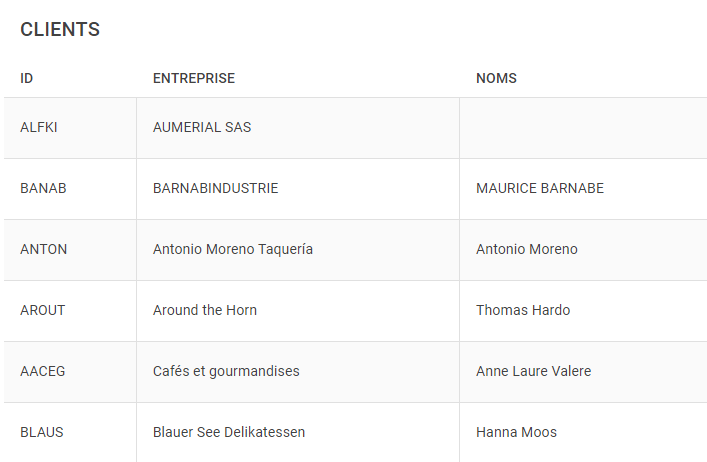
An application displaying the records from the CUSTOMER table in NORTHWIND is used to visualize the result. The "name" field linked to the ID ALFKI is initially empty:
Step 1 - Check the parameters expected by the RPG program
First, the parameters expected by the program are verified by taking a DUMP during its execution.
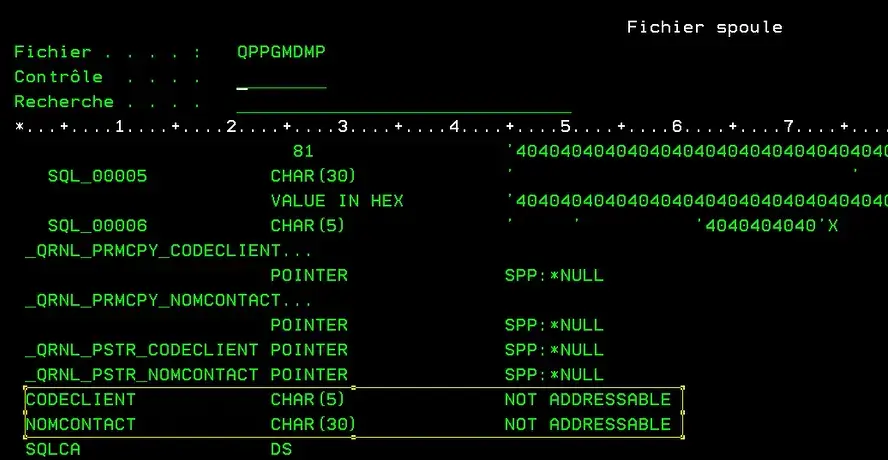
The DUMP indicates that two parameters are required.
Step 2 - Establish the NTi connection
An NTiConnection object is created to interact with IBM i from the console application:
string connectionString = "server=Server;user=User; Password=Pwd;";
var conn = new NTiConnection(connectionString );
conn.Open();
### Step 3 - Declare the parameters
The PGMCUST01 program expects two parameters:
- The customer ID: 5 character positions
- The new name: 30 character positions
These parameters are prepared as a list of NTiProgramParameter objects, populated from console input:
Console.WriteLine($"Enter the customer ID:");
var customerId = Console.ReadLine();

 Console.WriteLine($"Enter the new name:");
 var newName = Console.ReadLine();

 var parms = new List()
 {
     new NTiProgramParameter(customerId, 5),
     new NTiProgramParameter(newName, 30 )
 };
Étape 4 - Préparer l'environnement et appeler le programme RPG
La bibliothèque courante est initialisée via la commande CL CHGCURLIB :
_conn.ExecuteClCommand("CHGCURLIB NORTHWIND");💡 If the required libraries have been defined in the IBM i user profile used for the connection,
CHGCURLIBandADDLIBLEcommands are not required.
The PGMCUST01 program is then called with NTi:
_conn.CallProgram("NORTHWIND", "PGMCUST01", parms);The
NORTHWINDlibrary can be replaced with*LIBLor*CURLIB. The session opened in C# is comparable to a 5250 screen session — NTi integrates natively into the IBM i environment.
Step 5 - Full code and result
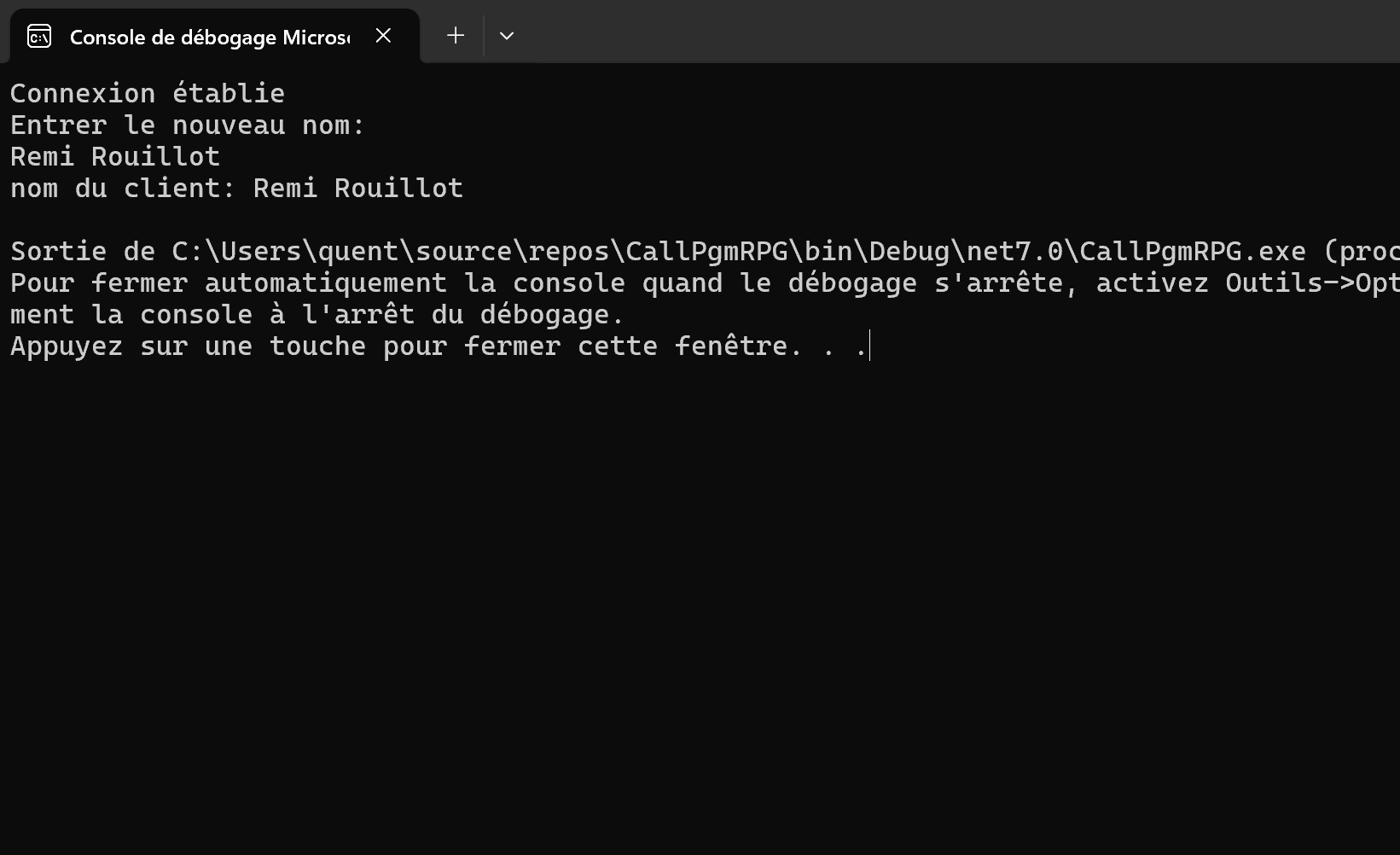
After running the program, the corresponding field in the NORTHWIND database is updated with the new name entered. The result can be verified directly in the console, and the changes are visible live in a front-end application:
using Aumerial.Data.Nti;

class Program
{
    static void Main()
    {
        string connectionString = "server=Server;user=User; Password=Pwd;";
        var conn = new NTiConnection(connectionString );
        conn.Open();

        Console.WriteLine($"Enter the customer ID:");
        var customerId = Console.ReadLine();
        Console.WriteLine($"Enter the new name:");
        var newName = Console.ReadLine();

        var parms = new List()
        {
            new NTiProgramParameter(customerId, 5),
            new NTiProgramParameter(newName, 30 )
        };
        conn.ExecuteClCommand("CHGCURLIB NORTHWIND");
        conn.CallProgram("NORTHWIND", "PGMCUST01", parms);

        string result = parms[1].GetString();
        Console.WriteLine($"Customer name: {result}");
    }
} 
Conclusion
This example is intentionally simple, but it illustrates the key point: existing RPG programs that embody a company's core business logic can be preserved while being integrated into a modern .NET environment. RPG programs can be called from console applications, APIs, web interfaces or containerized environments such as Docker. The RPG code stays untouched, and opens up to new use cases.
Quentin Destrade


