There are several ways to call an IBM i RPG program from an external application. SQL stored procedures, JTOpen via JDBC, an ODBC driver with a .NET wrapper, IWS... Each approach has its legitimate use cases.
This article covers the native .NET approach with NTi Data Provider: a NuGet package, no installation on the IBM i side, no client-side driver, and an RPG program call in a few standard lines of C#. We illustrate here a concrete, representative business program use case:
- A 219-byte DataStructure
- Mixed-direction parameters
- Field-level error indicators returned as RPG booleans
The CLIENTS2 program
CLIENTS2 is a customer management RPGLE program that encapsulates a business rule and operates on the CLIENTSP table. It validates input data, generates a sequential customer number, and writes or updates the record in DB2 for i.
It is presented here as a black box, what matters is understanding the call contract (parameters, formats, behaviors).
If you are working with an RPG program without documentation, our article on analyzing an IBM i RPG program with an AI agent shows how to identify parameters and understand the logic in seconds.
Three things to keep in mind about CLIENTS2:
- What it expects: a
219-byte block containing customer data (SIRET, company name, address, contact), plus two unused secondary parameters and an error indicator block initialized to zero. - What it does: check that mandatory fields are filled in, generate a sequential customer number for new records, write or update the record in the
CLIENTSPtable in DB2 for i. - What it returns: an error code -
ERor empty - the customer number generated in the first 10 bytes of the data block, and 10 boolean indicators specifying exactly which field is in error.
The program signature
CLIENTS2 expects 5 parameters in this exact order. That is all NTi needs to know to call it.
| Parameter | IBM i type | Direction | Role |
|---|---|---|---|
pcdaction |
CHAR(2) | Input | Unused, pass empty |
pcdretour |
CHAR(2) | Output | Unused |
pcderreur |
CHAR(2) | Output | Empty = success / ER = error |
pdsparam |
CHAR(219) | Input/Output | Customer DataStructure |
pdsindic |
CHAR(10) | Output | 10 field-level error indicators |
Parameters 1 and 2 are declared in the RPG program but never read by the logic.
Empty strings are therefore passed for both.
The pdsparam DataStructure: 219 fixed-position bytes
In RPG, a DataStructure is a contiguous memory block where each field occupies a fixed position and size, bytes at precise offsets.
On the .NET side, NTi reconstructs this block using the .Append() method, which chains fields in order, automatically padding each value to its exact size with EBCDIC blanks.
| Offset | RPG field | Size | Description |
|---|---|---|---|
| 0 | pnumero | 10 | Customer number (empty = create, filled = update) |
| 10 | psiret | 14 | SIRET |
| 24 | praison | 20 | Company name |
| 44 | pnumvoi | 5 | Street number |
| 49 | ptypvoi | 5 | Street type |
| 54 | pnomvoi | 20 | Street name |
| 74 | pcomple | 20 | Address complement |
| 94 | plocali | 20 | Locality |
| 114 | pville | 20 | City |
| 134 | pcodepo | 5 | Postal code |
| 139 | pnom | 20 | Contact last name |
| 159 | pprenom | 20 | Contact first name |
| 179 | ptelepf | 10 | Landline phone |
| 189 | ptelepp | 10 | Mobile phone |
| 199 | pemail | 20 | |
| TOTAL | 219 |
The pnumero field drives the program behavior:
- empty = create with number generated by IBM i
- filled = update the existing record
The pdsindic error indicators: 10 RPG booleans
When validation fails, CLIENTS2 does not return a generic error message, but 10 booleans, one per field, pinpointing exactly what is missing.
In RPG, an indicator n is stored on 1 byte:
0x00=*off: no error on this field0xFF=*on: this field is in error
| Position | RPG indicator | Field in error |
|---|---|---|
| 0 | pin40 | Missing company name |
| 1 | pin41 | Missing SIRET |
| 2 | pin42 | Missing street number |
| 3 | pin43 | Missing street type |
| 4 | pin44 | Missing street name |
| 5 | pin45 | Missing postal code |
| 6 | pin46 | Missing city |
| 7 | pin47 | Missing landline phone |
| 8 | pin48 | Missing mobile phone |
| 9 | pin49 | Missing email |
Positions 7, 8 and 9 work together: all three are triggered only when all three contact fields are simultaneously empty. A single contact field filled in is enough to deactivate all three.
Project setup
Create the ASP.NET Core project
dotnet new webapi -n ClientsApi --use-minimal-apis --framework net8.0
cd ClientsApi
dotnet add package Aumerial.Data.Nti
dotnet add package Dapper
Configure the IBM i connection in appsettings.json
{
  "ConnectionStrings": {
    "NTi": "server=Server;user=User;password=Pwd"
  }
}
Two C# models
Models/Client.cs: represents a customer as stored in the CLIENTSP table. Property names match exactly the IBM i column names, and the Dapper ORM handles mapping automatically without SQL aliases.
namespace ClientsApi.Models;

public class Client
{
    public string? NUMERO { get; set; }
    public string? SIRET  { get; set; }
    public string? RAISON { get; set; }
    public string? NOM    { get; set; }
    public string? PRENOM { get; set; }
    public string? NUMVOI { get; set; }
    public string? TYPVOI { get; set; }
    public string? NOMVOI { get; set; }
    public string? COMPLE { get; set; }
    public string? LOCALI { get; set; }
    public string? VILLE  { get; set; }
    public string? CODEPO { get; set; }
    public string? TELEPF { get; set; }
    public string? TELEPP { get; set; }
    public string? EMAIL  { get; set; }
}Models/ClientRequest.cs: the JSON body sent to create or update a customer. All fields are optional, and fields not provided are passed as empty strings to the RPG program.
namespace ClientsApi.Models;

public record ClientRequest(
    string? Siret,
    string? RaisonSociale,
    string? NumeroVoie,
    string? TypeVoie,
    string? NomVoie,
    string? Complement,
    string? Localite,
    string? Ville,
    string? CodePostal,
    string? Nom,
    string? Prenom,
    string? TelephoneFixe,
    string? TelephonePortable,
    string? Email
);
Program.cs: the 4 endpoints
Configuration
using Aumerial.Data.Nti;
using Dapper;
using ClientsApi.Models;

var builder = WebApplication.CreateBuilder(args);

builder.Services.AddEndpointsApiExplorer();
builder.Services.AddSwaggerGen(c =>
{
    c.SwaggerDoc("v1", new()
    {
        Title = "Clients IBM i API",
        Version = "v1",
        Description = "REST API exposing the CLIENTS2 RPG program on IBM i via NTi Data Provider"
    });
});

var app = builder.Build();

if (app.Environment.IsDevelopment())
{
    app.UseSwagger();
    app.UseSwaggerUI();
}

app.UseHttpsRedirection();

var connectionString = builder.Configuration.GetConnectionString("NTi")!;
GET /api/clients - list all customers
Direct read from DB2 for i via Dapper. No RPG program call.
app.MapGet("/api/clients", async () =>
{
    using var conn = new NTiConnection(connectionString);
    conn.Open();
    var clients = await conn.QueryAsync(
        "SELECT * FROM ASPAHA.CLIENTSP ORDER BY NUMERO");
    return Results.Ok(clients);
})
.WithName("GetClients")
.WithSummary("List all customers from DB2 for i")
.WithOpenApi();
GET /api/clients/
app.MapGet("/api/clients/{numero}", async (string numero) =>
{
    using var conn = new NTiConnection(connectionString);
    conn.Open();
    var client = await conn.QuerySingleOrDefaultAsync(
        "SELECT * FROM ASPAHA.CLIENTSP WHERE NUMERO = ?",
        new { numero });

    if (client is null)
        return Results.NotFound(new { Message = $"Customer {numero} not found" });

    return Results.Ok(client);
})
.WithName("GetClientByNumero")
.WithSummary("Retrieve a customer by number")
.WithOpenApi();
POST /api/clients - create a customer via CLIENTS2
app.MapPost("/api/clients", (ClientRequest request) =>
{
    using var conn = new NTiConnection(connectionString);
    conn.Open();

    // ASPAHA must be in the job library list
    conn.ExecuteClCommand("ADDLIBLE LIB(ASPAHA)");

    var parms = new List<NTiProgramParameter>
    {
        new NTiProgramParameter("", 2).AsInput(),   // pcdaction, unused
        new NTiProgramParameter("", 2).AsOutput(),  // pcdretour, unused
        new NTiProgramParameter("", 2).AsOutput(),  // pcderreur

        // pdsparam : 219-byte DataStructure IN/OUT
       new NTiProgramParameter("", 10) // pnumero empty = create, program generates the number on return
            .Append(request.Siret             ?? "", 14)
            .Append(request.RaisonSociale     ?? "", 20)
            .Append(request.NumeroVoie        ?? "", 5)
            .Append(request.TypeVoie          ?? "", 5)
            .Append(request.NomVoie           ?? "", 20)
            .Append(request.Complement        ?? "", 20)
            .Append(request.Localite          ?? "", 20)
            .Append(request.Ville             ?? "", 20)
            .Append(request.CodePostal        ?? "", 5)
            .Append(request.Nom               ?? "", 20)
            .Append(request.Prenom            ?? "", 20)
            .Append(request.TelephoneFixe     ?? "", 10)
            .Append(request.TelephonePortable ?? "", 10)
            .Append(request.Email             ?? "", 20),

        new NTiProgramParameter("", 10).AsOutput()  // pdsindic, 10 error indicators
    };

    conn.CallProgram("ASPAHA", "CLIENTS2", parms);

    var erreur = parms[2].GetString(0, 2).Trim();

    if (erreur == "ER")
    {
        // Each byte of pdsindic: 0x00 = no error, 0xFF = error on this field
        var bytes = parms[4].GetBytes(0, 10);
        var erreurs = new Dictionary<string, string>();

        if (bytes[0] != 0x00) erreurs["raisonSociale"] = "required";
        if (bytes[1] != 0x00) erreurs["siret"]         = "required";
        if (bytes[2] != 0x00) erreurs["numeroVoie"]    = "required";
        if (bytes[3] != 0x00) erreurs["typeVoie"]      = "required";
        if (bytes[4] != 0x00) erreurs["nomVoie"]       = "required";
        if (bytes[5] != 0x00) erreurs["codePostal"]    = "required";
        if (bytes[6] != 0x00) erreurs["ville"]         = "required";
        if (bytes[7] != 0x00 || bytes[8] != 0x00 || bytes[9] != 0x00)
            erreurs["contact"] = "landline phone, mobile or email required";

        return Results.UnprocessableEntity(new
        {
            Statut  = "error",
            Erreurs = erreurs
        });
    }

    // The number generated by IBM i is in the first 10 bytes of pdsparam
    var numero = parms[3].GetString(0, 10).Trim();
    return Results.Created($"/api/clients/{numero}", new
    {
        Numero = numero,
        Statut = "created"
    });
})
.WithName("CreateClient")
.WithSummary("Creates a new customer via the CLIENTS2 RPG program")
.WithDescription("The customer number is generated on the IBM i side. Validation is handled by the RPG program.")
.WithOpenApi();
PUT /api/clients/
The only difference from the POST: the first 10 bytes of pdsparam contain the existing customer number, which switches CLIENTS2 into update mode.
app.MapPut("/api/clients/{numero}", (string numero, ClientRequest request) =>
{
    using var conn = new NTiConnection(connectionString);
    conn.Open();

      // ASPAHA must be in the job library list
    conn.ExecuteClCommand("ADDLIBLE LIB(ASPAHA)");

    var parms = new List<NTiProgramParameter>
    {
        new NTiProgramParameter("", 2).AsInput(),
        new NTiProgramParameter("", 2).AsOutput(),
        new NTiProgramParameter("", 2).AsOutput(),

        // pnumero filled = CLIENTS2 updates the existing record
        new NTiProgramParameter(numero, 10)
            .Append(request.Siret             ?? "", 14)
            .Append(request.RaisonSociale     ?? "", 20)
            .Append(request.NumeroVoie        ?? "", 5)
            .Append(request.TypeVoie          ?? "", 5)
            .Append(request.NomVoie           ?? "", 20)
            .Append(request.Complement        ?? "", 20)
            .Append(request.Localite          ?? "", 20)
            .Append(request.Ville             ?? "", 20)
            .Append(request.CodePostal        ?? "", 5)
            .Append(request.Nom               ?? "", 20)
            .Append(request.Prenom            ?? "", 20)
            .Append(request.TelephoneFixe     ?? "", 10)
            .Append(request.TelephonePortable ?? "", 10)
            .Append(request.Email             ?? "", 20),

        new NTiProgramParameter("", 10).AsOutput()
    };

    conn.CallProgram("ASPAHA", "CLIENTS2", parms);

    var erreur = parms[2].GetString(0, 2).Trim();

    if (erreur == "ER")
    {
        var bytes = parms[4].GetBytes(0, 10);
        var erreurs = new Dictionary<string, string>();

        if (bytes[0] != 0x00) erreurs["raisonSociale"] = "required";
        if (bytes[1] != 0x00) erreurs["siret"]         = "required";
        if (bytes[2] != 0x00) erreurs["numeroVoie"]    = "required";
        if (bytes[3] != 0x00) erreurs["typeVoie"]      = "required";
        if (bytes[4] != 0x00) erreurs["nomVoie"]       = "required";
        if (bytes[5] != 0x00) erreurs["codePostal"]    = "required";
        if (bytes[6] != 0x00) erreurs["ville"]         = "required";
        if (bytes[7] != 0x00 || bytes[8] != 0x00 || bytes[9] != 0x00)
            erreurs["contact"] = "landline phone, mobile or email required";

        return Results.UnprocessableEntity(new
        {
            Statut  = "error",
            Erreurs = erreurs
        });
    }

    return Results.Ok(new
    {
         Numero = numero,
         Statut = "updated"
    });
})
.WithName("UpdateClient")
.WithSummary("Updates an existing customer via the CLIENTS2 RPG program")
.WithDescription("The front end retrieves the customer via GET, pre-fills the form, and sends the complete updated object.")
.WithOpenApi();

app.Run();
ADDLIBLE: adding the library to the search path
CLIENTS2 accesses the CLIENTSP table via the job library list *LIBL rather than by a qualified name (ASPAHA/CLIENTSP).
In this context, the ASPAHA library must be explicitly added before the program call. This approach is suitable for testing, but in production it is preferable to have the library configured at the IBM i user profile level, or to qualify objects directly in the RPG program.
conn.ExecuteClCommand("ADDLIBLE LIB(ASPAHA)");
conn.CallProgram("ASPAHA", "CLIENTS2", parms);
Test with Swagger
Swagger is enabled by default in development mode.
Launch the project with dotnet run and open https://localhost:PORT/swagger/index.html.
Simulate a validation error
POST /api/clients with telephoneFixe, telephonePortable and email left empty. All other fields are filled in.
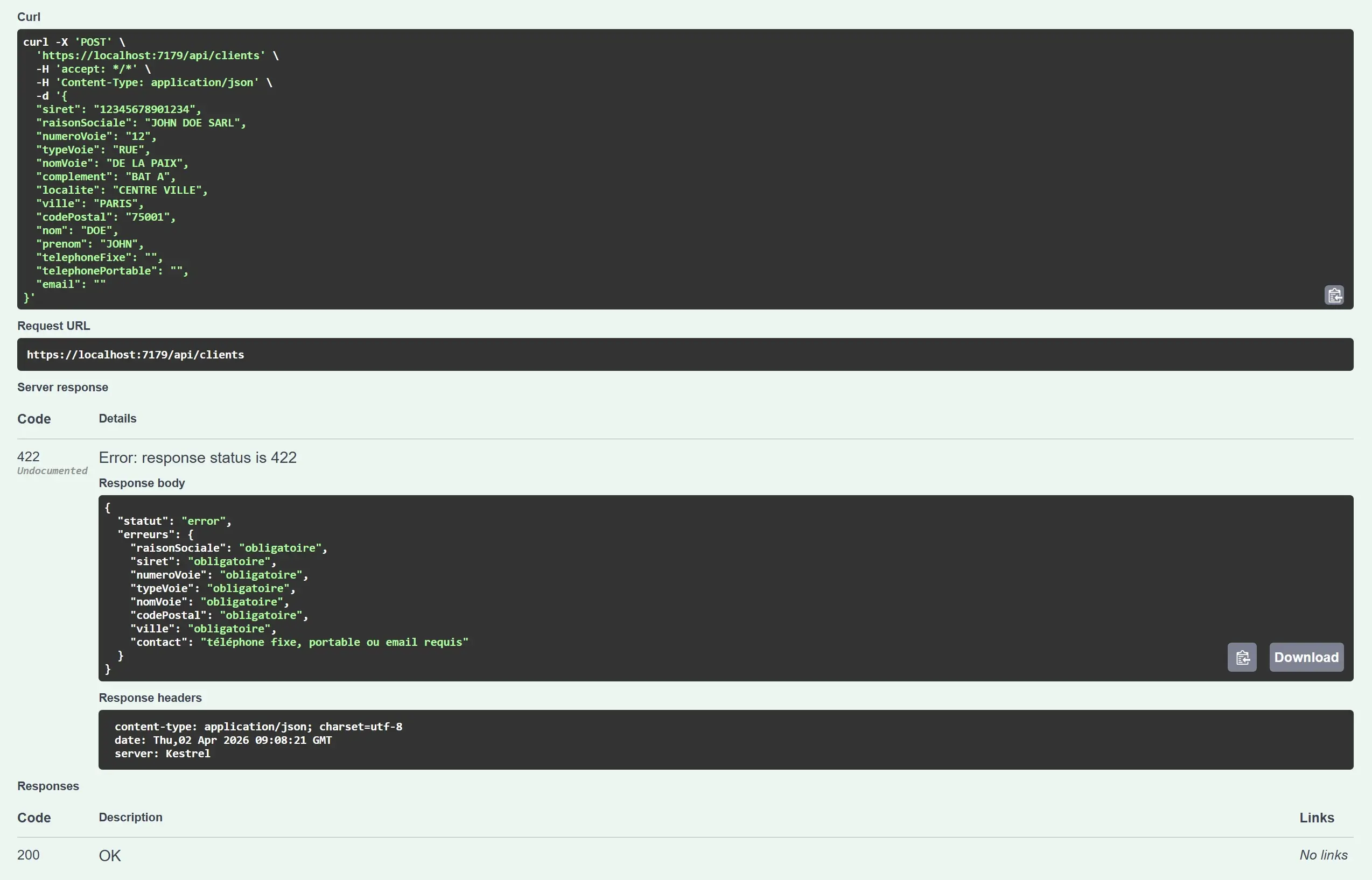
Response 422 with field errors coming directly from the RPG pdsindic indicators returned by CLIENTS2. The business logic stays on the IBM i side.
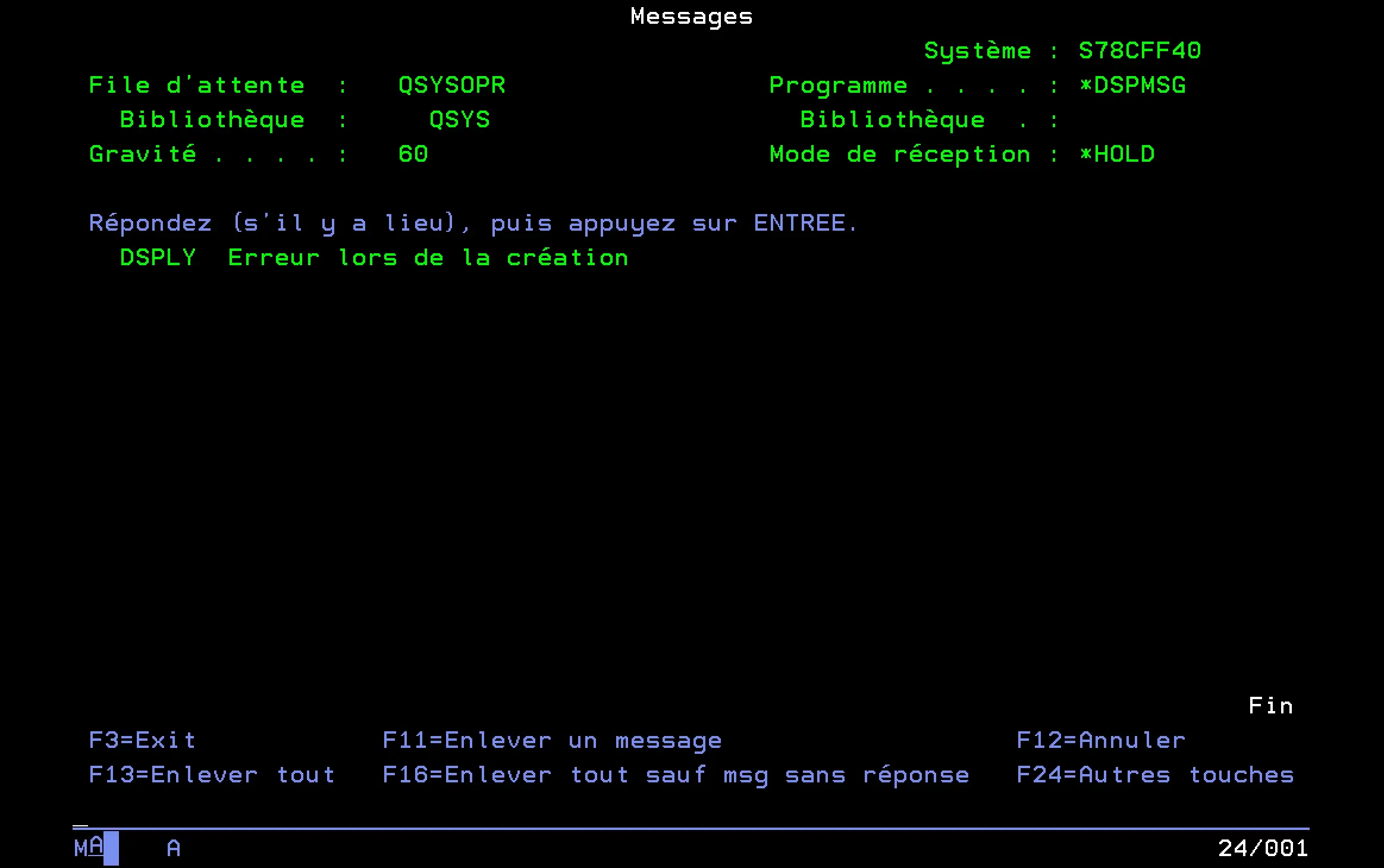
On the IBM i side, CLIENTS2 confirms the error.
Create a customer
POST /api/clients with all mandatory fields filled in.

Response 201 Created, 0000000007 was generated by CLIENTS2 on the IBM i side. The API had no knowledge of it before the call.
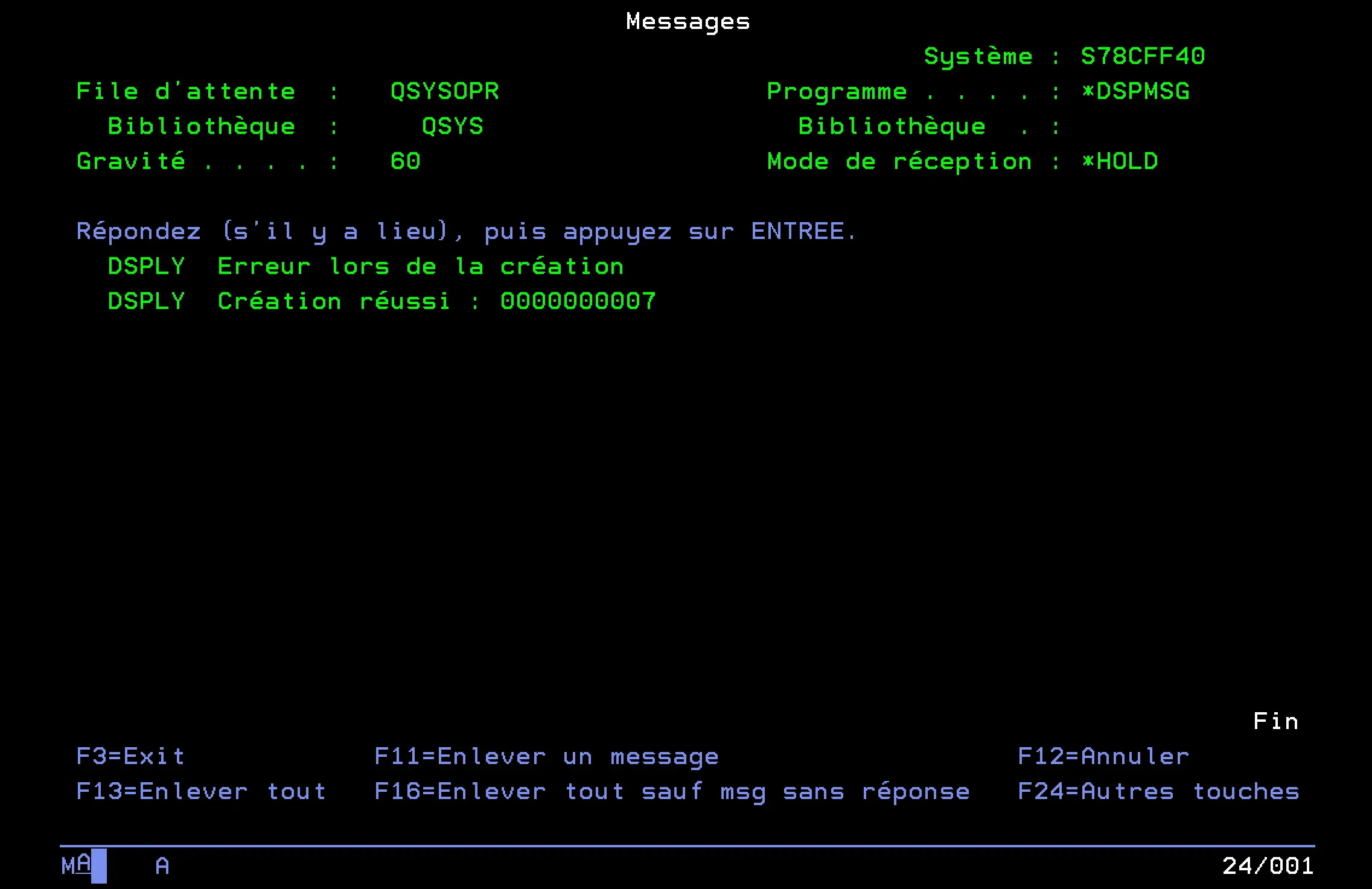
On the IBM i side, CLIENTS2 confirms successful creation.
Update a customer
GET /api/clients/ to retrieve the existing customer, update the desired field, then PUT /api/clients/ with the complete updated object.
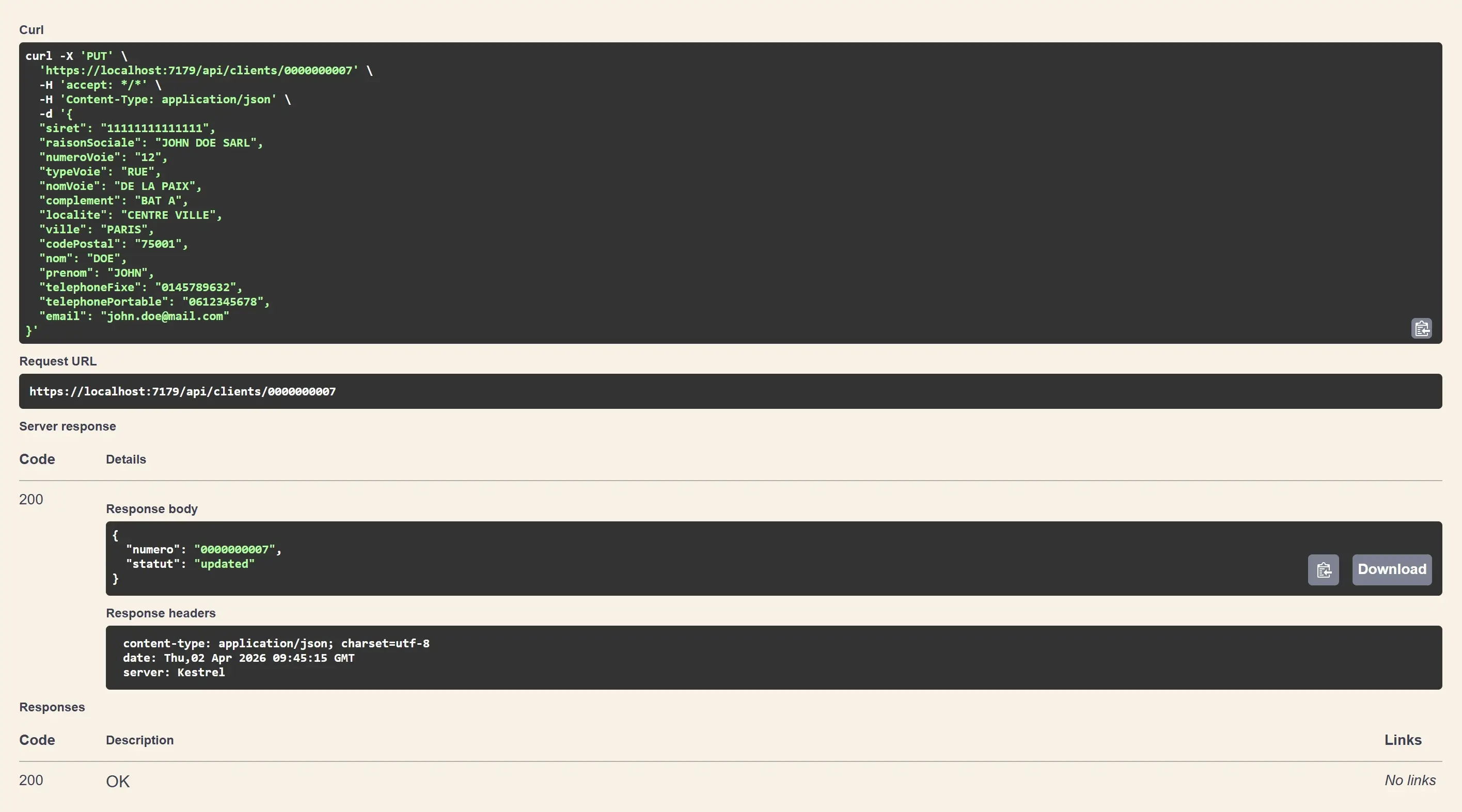
Response 200 OK, customer 0000000007 has been updated.
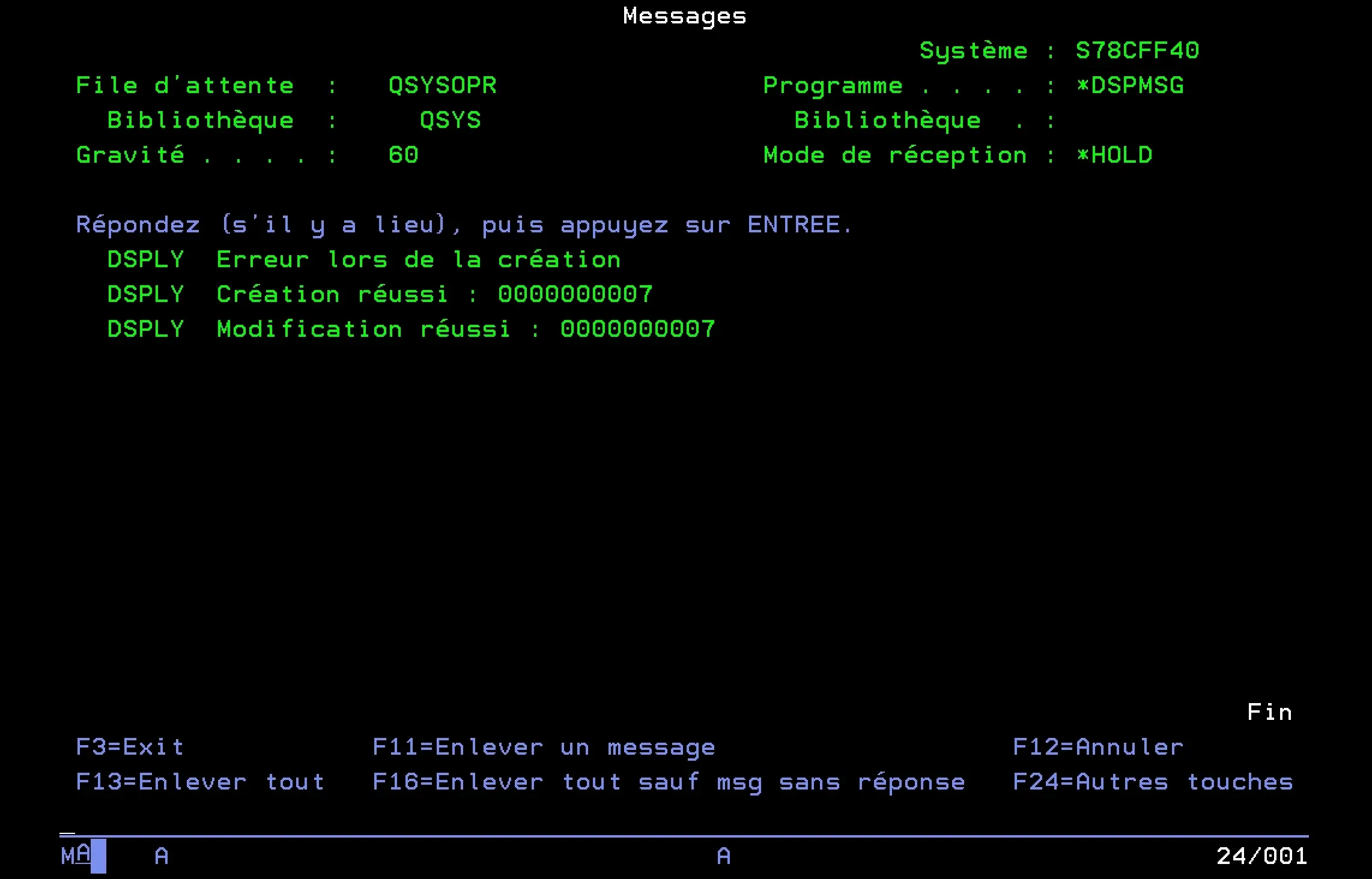
On the IBM i side, CLIENTS2 confirms successful update.
Conclusion
To expose an RPG program as a REST API ultimately takes very little code. In our example: two models, four endpoints, one NuGet package. The most time-consuming part was understanding the program signature and correctly building the DataStructure, not writing the C#.
What makes this approach credible long-term is that NTi is built entirely on .NET: an active, cross-platform ecosystem that runs equally well on Windows, Linux, Docker, Power...
The stack stays current. So does IBM i.


