Step 1 - Create the table on IBM i
The following table stores scanned barcodes, the scan date and the barcode type:
CREATE TABLE SAMPLE.BARCODES (
    SCANDATE  TIMESTAMP,
    SCANTYPE  VARCHAR(256),
    SCANVALUE VARCHAR(1024)
)
Step 2 - Develop the mobile application
The project is created from a .NET MAUI template in Visual Studio.
Barcode scanning with ZXing
The ZXing.Net.Maui library uses the smartphone camera to read barcodes. It integrates directly into the view:
<zxing:CameraBarcodeReaderView
    x:Name="cameraBarcodeReaderView"
    BarcodesDetected="BarcodesDetected"/>
The scanned data is captured in the code-behind via the BarcodesDetected method (see ZXing documentation).
Do not forget to declare the camera permission in the application manifest, otherwise the required permissions will not be granted.
Insert into IBM i with NTi
The BarcodesDetected method uses NTi Data Provider and Dapper to insert data into DB2 for i:
protected void BarcodesDetected(object sender, BarcodeDetectionEventArgs e)
{
    Vibration.Default.Vibrate();
    NTiConnection conn = new(_connectionString);
    conn.Open();
    foreach (var barcode in e.Results)
    {
        conn.Execute(
            "INSERT INTO SAMPLE.BARCODES (SCANDATE, SCANTYPE, SCANVALUE) VALUES (@TIME, @TYPE, @VALUE)",
            new
            {
                Time = DateTime.Now,
                Type = barcode.Format.ToString(),
                Value = barcode.Value
            }
        );
    }
    conn.Close();
}
A vibration is triggered on the smartphone to confirm the scan to the user.
Full code
MainPage.xaml :
<ContentPage xmlns="http://schemas.microsoft.com/dotnet/2021/maui"
             xmlns:x="http://schemas.microsoft.com/winfx/2009/xaml"
             xmlns:zxing="clr-namespace:ZXing.Net.Maui.Controls;assembly=ZXing.Net.MAUI.Controls"
             x:Class="BarcodeAppXaml.MainPage">
    <ScrollView>
        <VerticalStackLayout
            Padding="30,0"
            Spacing="25">
            <Image
                Source="nti.png"
                HeightRequest="185"
                Aspect="AspectFit"/>
            <Label
                Text="NTi - Scan"
                Style="{StaticResource Headline}" />
            <Label
                Text="Sample application for scanning QR codes and barcodes and sending the data to IBM i with NTi"
                Style="{StaticResource SubHeadline}"/>
            <zxing:CameraBarcodeReaderView
                x:Name="cameraBarcodeReaderView"
                BarcodesDetected="BarcodesDetected"/>
        </VerticalStackLayout>
    </ScrollView>
</ContentPage>
MainPage.xaml.cs :
using ZXing.Net.Maui;
using Aumerial.Data.Nti;
using Dapper;

namespace BarcodeAppXaml
{
    public partial class MainPage : ContentPage
    {
        private static string _connectionString = "...";
        public MainPage()
        {
            InitializeComponent();
            cameraBarcodeReaderView.Options = new BarcodeReaderOptions
            {
                Formats = BarcodeFormats.All,
                AutoRotate = true,
                Multiple = true
            };
        }

        protected void BarcodesDetected(object sender, BarcodeDetectionEventArgs e)
        {
            Vibration.Default.Vibrate();
            NTiConnection conn = new(_connectionString);
            conn.Open();
            foreach (var barcode in e.Results)
            {
                conn.Execute(
                    "INSERT INTO SAMPLE.BARCODES (SCANDATE, SCANTYPE, SCANVALUE) VALUES (@TIME, @TYPE, @VALUE)",
                    new
                    {
                        Time = DateTime.Now,
                        Type = barcode.Format.ToString(),
                        Value = barcode.Value
                    }
                );
            }
            conn.Close();
        }
    }
}
Step 3 - Publish and test
Visual Studio allows publishing the application directly as an APK archive, installable on any Android device: smartphone, warehouse scanner, tablet.
💡A connection between the smartphone and IBM i is required, via a VPN for example. Without it, an offline input policy with deferred synchronization would need to be implemented.
NTi Data Provider is entirely platform-agnostic. It runs on Android/ARM with no driver to install, and would work the same way on iOS.
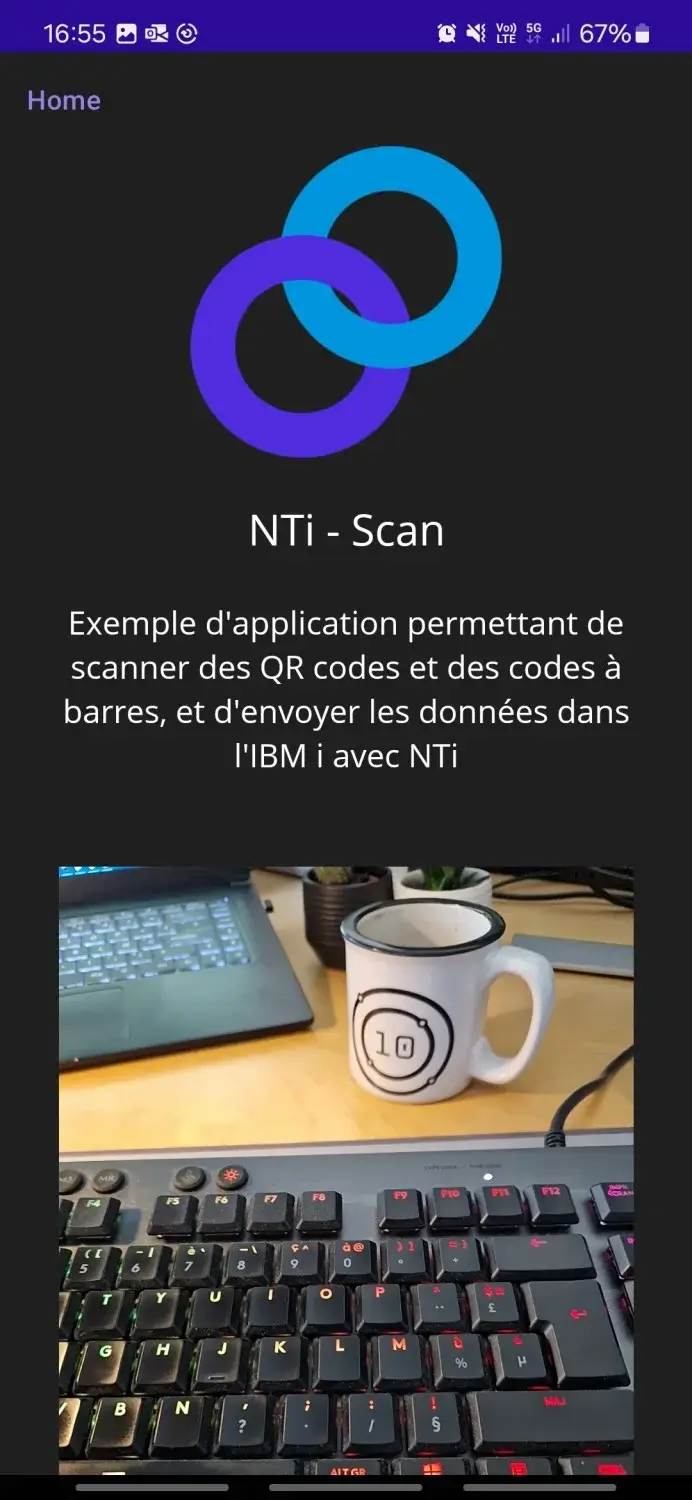
The application is installed on an Android smartphone and automatically looks for barcodes on launch:
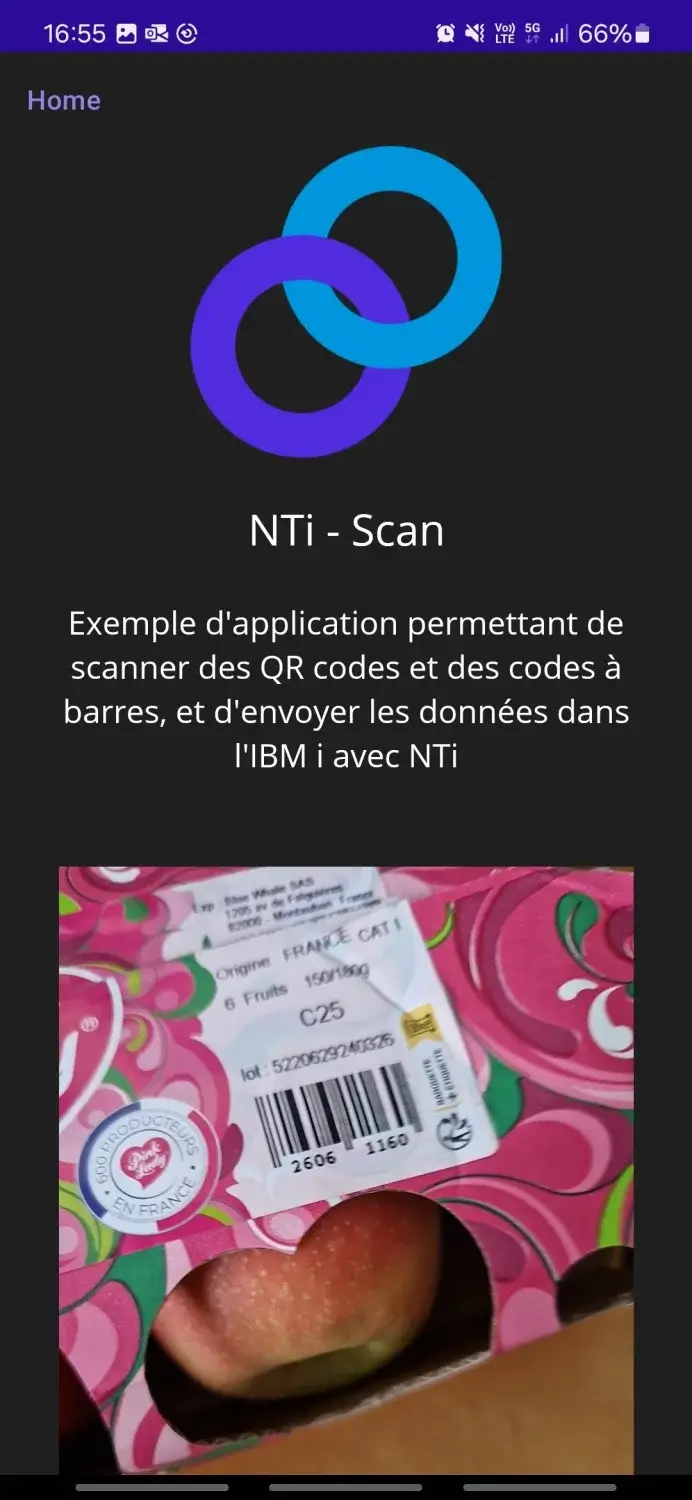
Scanning an EAN8 barcode on a package, the vibration confirms the read and the data is immediately inserted into IBM i:
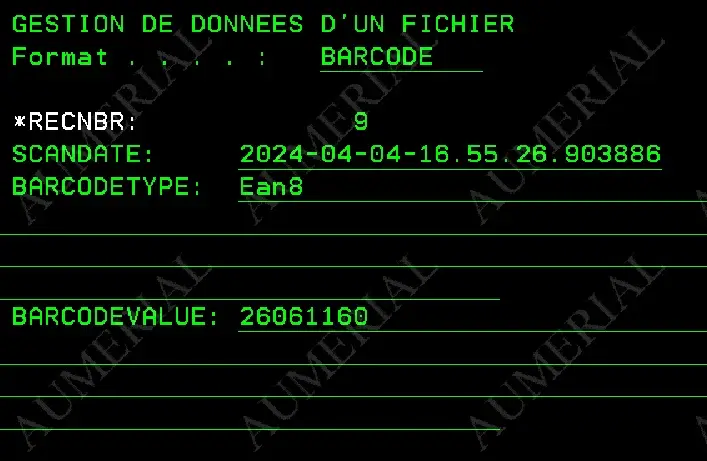
The result is visible directly in the SAMPLE.BARCODES table:
Conclusion
NTi Data Provider acts here as the bridge between the field and IBM i through a smartphone. This type of application can be deployed on a warehouse scanner or on a maintenance technician's smartphone to feed traceability data back into IBM i.
Any data acquisition device becomes straightforwardly usable with IBM i: camera, laser scanner, Bluetooth peripherals.
Rémi Rouillot


