Stored procedures are a widely adopted practice for centralizing and encapsulating business logic in a secure and optimized environment. They shift part of the application logic to the database server, reducing client-side code complexity, improving performance by cutting down on network traffic, and strengthening security by limiting direct table access.
The stored procedure used in this example is taken directly from the official IBM i: DB2 for i SQL Reference documentation (page 979). It calculates the median salary across staff and returns the list of employees whose salary exceeds that median.
Step 1 - Prepare the IBM i environment
Before calling a stored procedure from .NET, it is important to understand what it does, what elements are required for its execution, and prepare the environment accordingly.
Here is the SQL code for the procedure:
CREATE PROCEDURE MEDIAN_RESULT_SET (OUT medianSalary DECIMAL(7,2))
LANGUAGE SQL
DYNAMIC RESULT SETS 1
BEGIN
    DECLARE v_numRecords INTEGER DEFAULT 1;
    DECLARE v_counter INTEGER DEFAULT 0;

    DECLARE c1 CURSOR FOR
         SELECT salary
         FROM staff
         ORDER BY salary;

    DECLARE c2 CURSOR WITH RETURN FOR
         SELECT name, job, salary
         FROM staff
         WHERE salary > medianSalary
         ORDER BY salary;

    DECLARE EXIT HANDLER FOR NOT FOUND
         SET medianSalary = 6666;

    SET medianSalary = 0;
    SELECT COUNT(*) INTO v_numRecords FROM staff;

    OPEN c1;
    WHILE v_counter < (v_numRecords / 2 + 1) DO
         FETCH c1 INTO medianSalary;
         SET v_counter = v_counter + 1;
    END WHILE;
    CLOSE c1;
    OPEN c2;
END
This procedure calculates the median salary of employees. It returns this salary via an output parameter medianSalary, and opens a cursor c2 that returns the list of employees whose salary exceeds that median.
💡There are no input parameters. The procedure performs its calculation directly from the
stafftable, which must contain at least the columnssalary,nameandjob.
Create the library
The MDSALARY library isolates the test elements. Run from ACS or a 5250 screen:
CRTLIB MDSALARYSet the current schema
SET CURRENT SCHEMA = MDSALARY;All tables and procedures created afterwards will automatically be placed in the MDSALARY library.
Create the STAFF table
The procedure expects a staff table with the following columns:
CREATE TABLE staff (
    name VARCHAR(50),
    job VARCHAR(50),
    salary DECIMAL(7,2)
);
Insert test data
INSERT INTO staff (name, job, salary) VALUES ('Alice', 'Manager', 2000.00);
INSERT INTO staff (name, job, salary) VALUES ('Bob', 'Clerk', 3000.00);
INSERT INTO staff (name, job, salary) VALUES ('Charlie', 'Analyst', 4000.00);
INSERT INTO staff (name, job, salary) VALUES ('David', 'Developer', 5000.00);
INSERT INTO staff (name, job, salary) VALUES ('Eve', 'Designer', 6000.00);
INSERT INTO staff (name, job, salary) VALUES ('Frank', 'Tester', 7000.00);
Full script for ACS
The following script can be copied and pasted then run in one go from the ACS "Run SQL Scripts" tool:
-- Create the library
CL: CRTLIB MDSALARY;

-- Set the current schema
SET CURRENT SCHEMA = MDSALARY;

-- Create the STAFF table
CREATE TABLE staff (
    name VARCHAR(50),
    job VARCHAR(50),
    salary DECIMAL(7,2)
);

-- Insert test data
INSERT INTO staff (name, job, salary) VALUES ('Alice', 'Manager', 2000.00);
INSERT INTO staff (name, job, salary) VALUES ('Bob', 'Clerk', 3000.00);
INSERT INTO staff (name, job, salary) VALUES ('Charlie', 'Analyst', 4000.00);
INSERT INTO staff (name, job, salary) VALUES ('David', 'Developer', 5000.00);
INSERT INTO staff (name, job, salary) VALUES ('Eve', 'Designer', 6000.00);
INSERT INTO staff (name, job, salary) VALUES ('Frank', 'Tester', 7000.00);

-- Create the MEDIAN_RESULT_SET stored procedure
CREATE PROCEDURE MEDIAN_RESULT_SET (OUT medianSalary DECIMAL(7,2))
LANGUAGE SQL
DYNAMIC RESULT SETS 1
BEGIN
    DECLARE v_numRecords INTEGER DEFAULT 1;
    DECLARE v_counter INTEGER DEFAULT 0;

    DECLARE c1 CURSOR FOR
         SELECT salary FROM staff ORDER BY salary;

    DECLARE c2 CURSOR WITH RETURN FOR
         SELECT name, job, salary FROM staff WHERE salary > medianSalary ORDER BY salary;

    DECLARE EXIT HANDLER FOR NOT FOUND SET medianSalary = 6666;

    SET medianSalary = 0;
    SELECT COUNT(*) INTO v_numRecords FROM staff;

    OPEN c1;
    WHILE v_counter < (v_numRecords / 2 + 1) DO
         FETCH c1 INTO medianSalary;
         SET v_counter = v_counter + 1;
    END WHILE;
    CLOSE c1;
    OPEN c2;
END;
Verify on IBM i
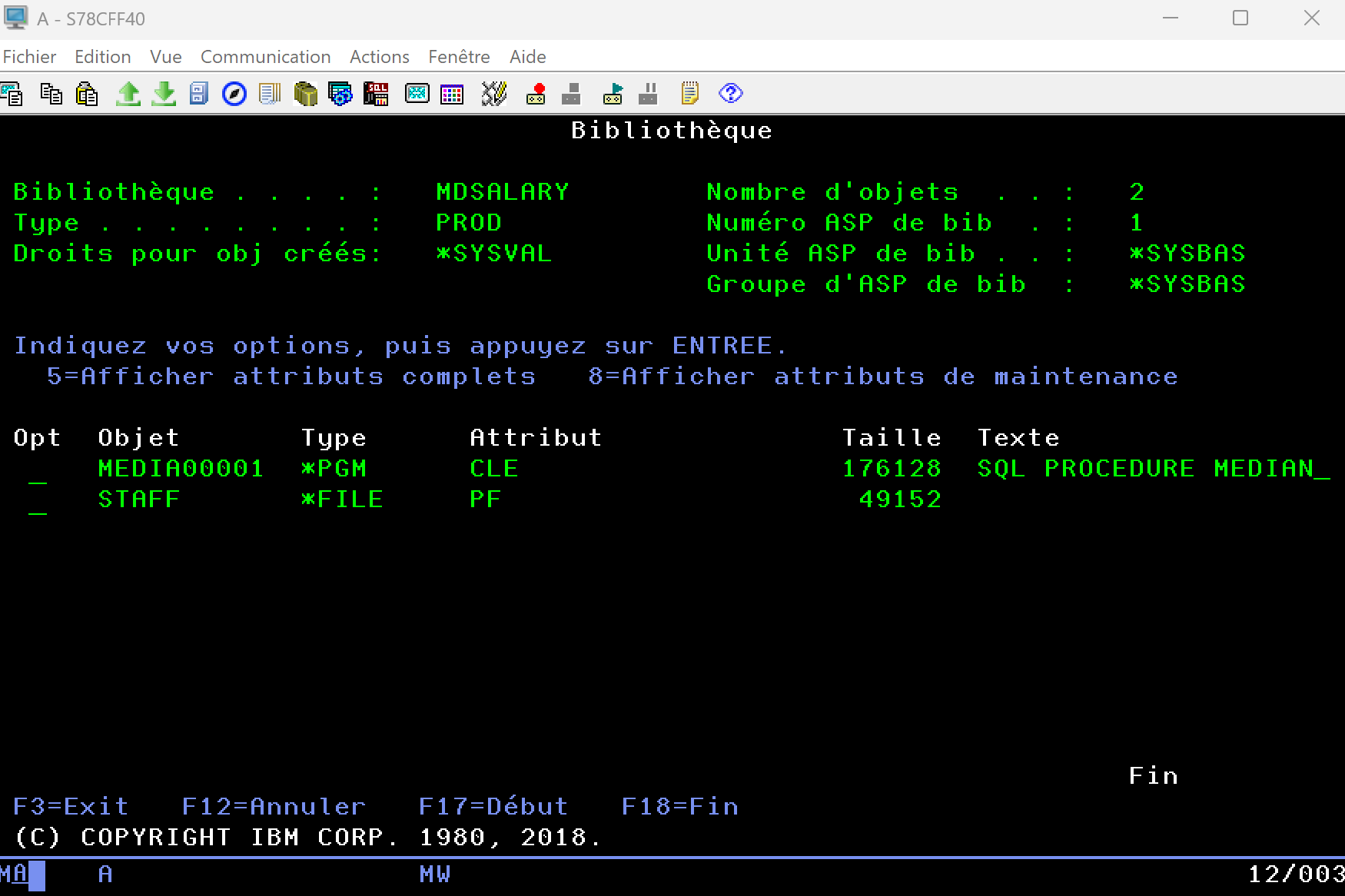
Verify that the MDSALARY library exists, that it contains the staff table with the inserted data, and the MEDIAN_RESULT_SET procedure as a SQL program (type *PGM):
Step 2 - Call the stored procedure from .NET
The IBM i environment is ready. The project is a Blazor Web App in .NET 8. The following packages are required:
dotnet add package Aumerial.Data.Nti
dotnet add package Dapper
Connection service
A DB2Service.cs service centralizes connection management:
using Aumerial.Data.Nti;

public class DB2Service
{
    private readonly string _connectionString = "server=Server;user=User;password=Pwd;trim=true";

    public NTiConnection CreateConnection()
    {
        var conn = new NTiConnection(_connectionString);
        conn.Open();
        return conn;
    }
}
Register it in Program.cs:
builder.Services.AddSingleton(); Employee entity
public class Employee
{
    public string Name { get; set; }
    public string Job { get; set; }
    public decimal Salary { get; set; }
}
Approach 1 - DataReader
The classic DataReader approach gives full control over execution and result reading. The medianSalary output parameter is explicitly defined, and results are read sequentially row by row:
private decimal median;
private List employees = new();

private async Task LoadDataWithDataReader()
{
    using var conn = Db2Service.CreateConnection();
    using var cmd = new NTiCommand("MDSALARY.MEDIAN_RESULT_SET", conn);

    cmd.CommandType = System.Data.CommandType.StoredProcedure;

    var param = new NTiParameter();
    param.ParameterName = "medianSalary";
    param.Direction = System.Data.ParameterDirection.Output;
    cmd.Parameters.Add(param);

    using var reader = await cmd.ExecuteReaderAsync();

    median = Convert.ToDecimal(param.Value);

    while (await reader.ReadAsync())
    {
        employees.Add(new Employee
        {
            Name = reader.GetString(0),
            Job = reader.GetString(1),
            Salary = reader.GetDecimal(2)
        });
    }
}
Approach 2 - Dapper
With Dapper, the code is significantly reduced. DynamicParameters handles the output parameter, and Dapper takes care of execution and mapping results to the Employee object list:
private decimal median;
private List employees = new();

private async Task LoadDataWithDapper()
{
    using var conn = Db2Service.CreateConnection();

    var parameters = new DynamicParameters();
    parameters.Add("medianSalary", dbType: DbType.Decimal, direction: ParameterDirection.Output);

    employees = (await conn.QueryAsync(
        "MDSALARY.MEDIAN_RESULT_SET",
        parameters,
        commandType: CommandType.StoredProcedure)).ToList();

    median = parameters.Get("medianSalary");
}
Display in Blazor
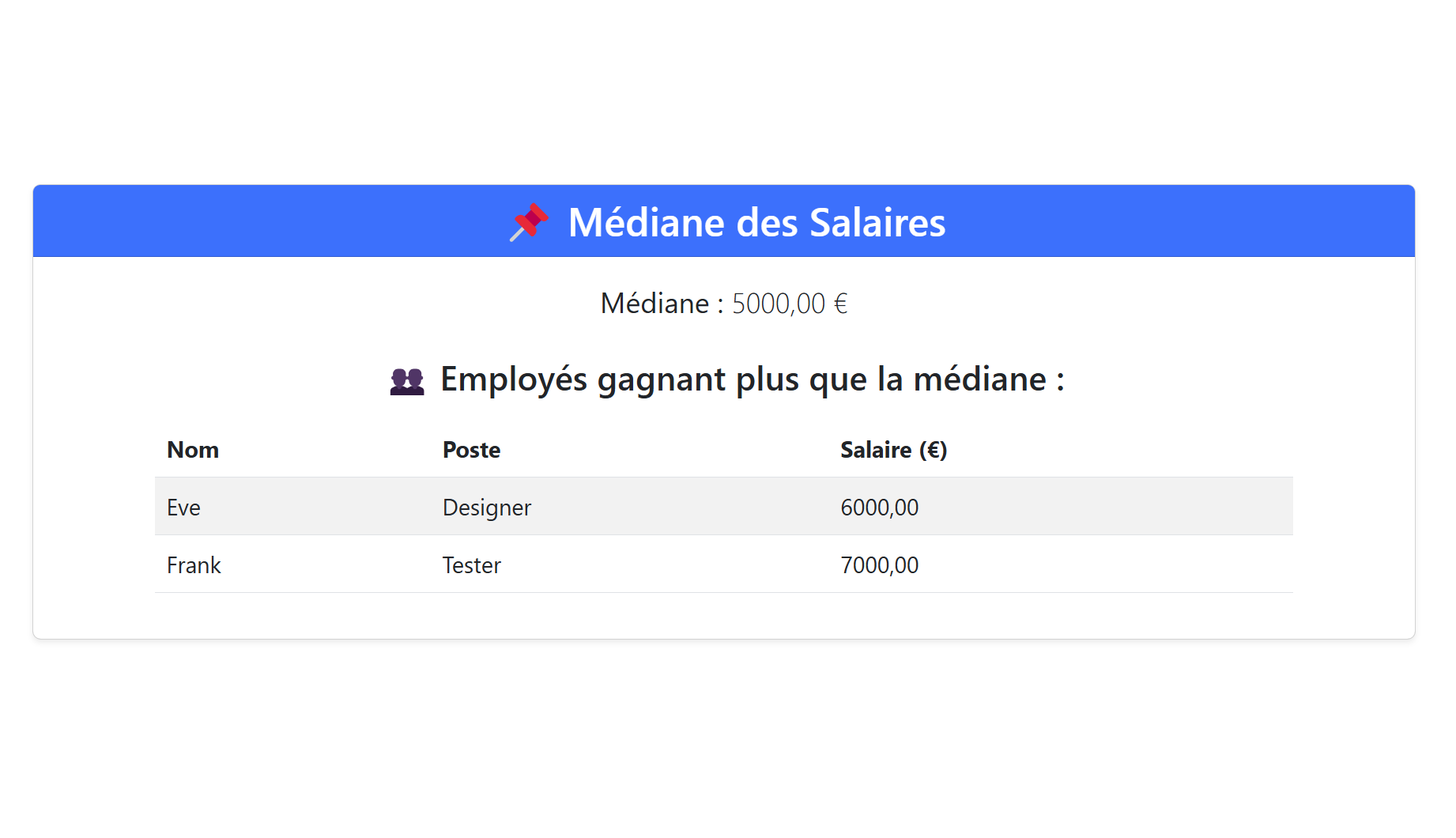
Once the data is retrieved, it is displayed in a Blazor table:
Conclusion
Two approaches, one result: DataReader for detailed step-by-step control, Dapper for a more concise implementation. In both cases, NTi Data Provider allows IBM i SQL stored procedures to be integrated into a .NET application in just a few lines of code, with no added complexity.
Quentin Destrade


